Does PhotoCraft open and save Photoshop (PSD) files?
Yes, in our tests of PhotoCraft 0.23.1 on 2026-11-27: a 2-layer PSD and a 5-layer PSD with masks opened with their layers, and a saved PSD kept its layers and non-English layer names. We have not tested large files, text layers or adjustment layers yet.
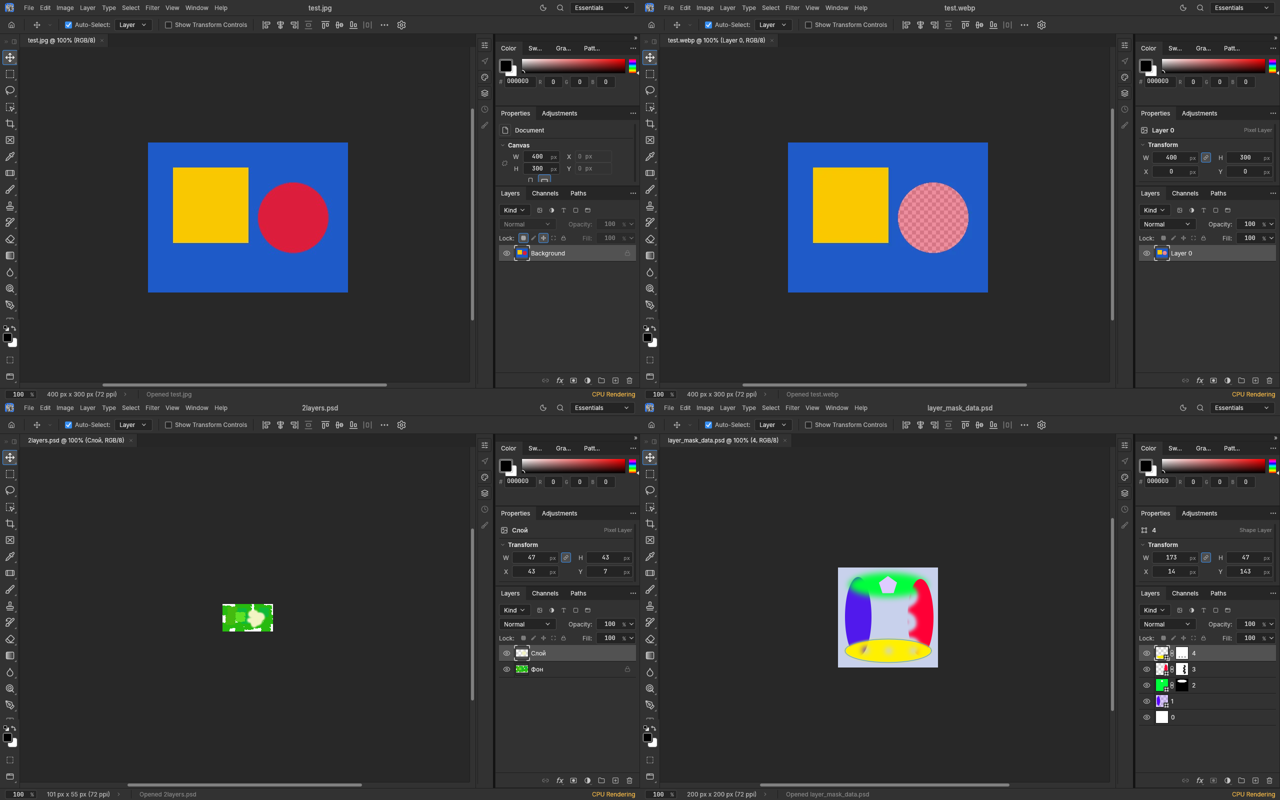
Top: our JPEG and WebP. Bottom: the 2-layer PSD (layer names in Cyrillic) and the 5-layer PSD with masks. "CPU Rendering" shows because the test browser had no graphics card.
What we tested
| Test | Chrome engine | Firefox | Safari engine |
|---|---|---|---|
| Open layered PSD (2 layers, Cyrillic names) psd-tools 2layers.psd; names shown | ok | not run | not run |
| Open PSD with masks (5 layers) psd-tools layer_mask_data.psd | ok | ok (graphics card) | not run |
| Save PSD (Ctrl+S) Layers and Unicode names kept; composite within 1/255; the old-style name field is written as '?' | ok | not run | not run |
The one quirk
PSD files store each layer name twice: an old short field and a newer Unicode field. PhotoCraft writes the Unicode names correctly but fills the old field with "?". Photoshop and most modern apps read the Unicode field, so names look right; very old tools may show "?".
Test files
The two PSDs are public test files from the MIT-licensed psd-tools project (2layers.psd, layer_mask_data.psd). Try your own file in the editor; it stays on your device.